Standard renderer
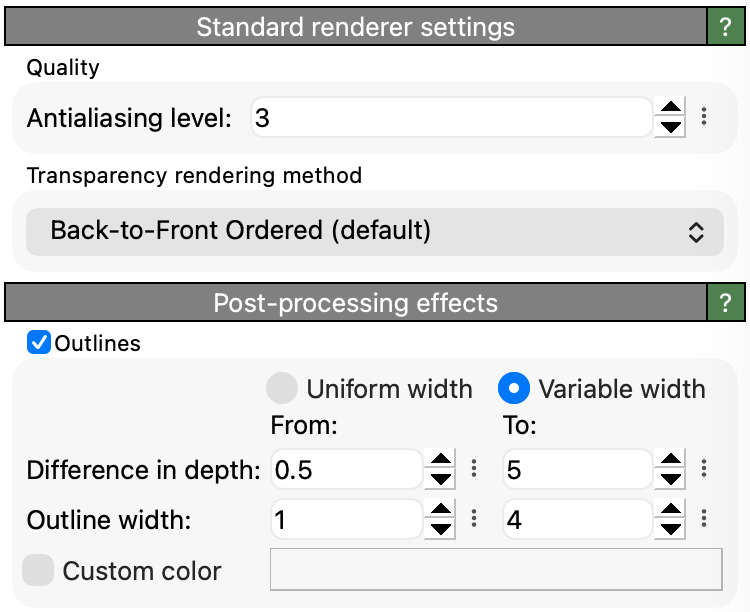
This is the default built-in rendering engine, which is also used by OVITO for rendering the interactive viewports.
The “More Options” (vertical ellipsis) button next to each numerical parameter opens a context menu with the option to reset each parameter to its default value.
Parameters
- Anti-aliasing level
To reduce aliasing effects, the output image is usually rendered at a higher resolution than the final image (supersampling). This factor controls how much larger this resolution is. A factor of 1 turns anti-aliasing off. Higher values lead to better quality.
- Transparency rendering method
This option controls how the effect of two or more semi-transparent scene objects overlapping with each other should be computed by the renderer. Both available methods represent different approximations of how a true rendition of semi-transparent objects would look like - which is not achievable in real-time visualization using rasterization techniques.
Back-to-front ordered rendering (default) gives correct results if there is only one kind of semi-transparent object in the scene, e.g. just particles, but likely fails to render a mixture of different semi-transparent objects correctly, e.g. semi-transparent particles combined with semi-transparent surface meshes.
Weighted Blended Order-Independent Transparency is an alternative method more suitable for overlapping semi-transparent objects of different kinds. But it can deliver only a rough approximation of translucency.
See also
StandardRenderer (Python API)